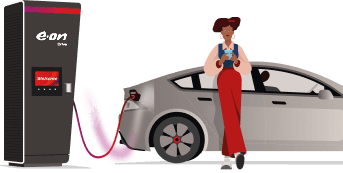
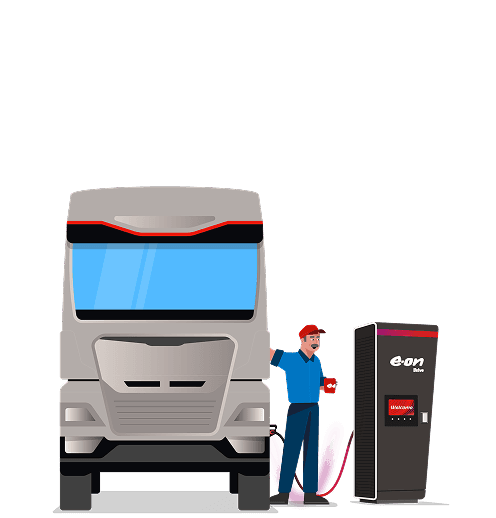




Plug in. That's it.
Autocharge
Your car is recognised automatically the moment you plug in — charging starts and payment is handled without you lifting a finger. No app to open. No card to tap. Just plug in and go.
What is Autocharge?
Autocharge is the easiest way to charge your EV. You activate the feature once in the E.ON Drive Public app. After that, the charger automatically recognises your car the next time you plug in — and you're charging again before you've even looked at your phone. No app or charging key needed.
Autocharge requires two things before it works:
- Your car must support Autocharge and have a static MAC address. In particular, cars from the VW Group sometimes use dynamic MAC addresses and therefore there is a chance that they won't work.
- The charger must support Autocharge. It works at most chargers in our network, but not all. You can see which ones in the E.ON Drive Public app or directly on the charger itself.
Park and Charge - that's Autocharge
Download the E.ON Drive Public app
Get the app from the App Store or Google Play, then log in or create a new account.
Add your payment method
Go to Payment Methods in the menu and add your credit card. It'll be used automatically to pay for your charging sessions.
Activate Autocharge
Start a charging session via the app. If your vehicle supports Autocharge, the app will offer to activate it after 3 sessions. Confirm — and you're set permanently.
Sæt stikket i — resten klarer sig selv
Fra nu af genkendes din bil automatisk ved E.ON Drive-ladestationer. Opladningen starter. Betalingen klares. Du behøver ikke gøre noget som helst. Se din ladesession i appen.
Download the E.ON Drive Public app
Get the app from the App Store or Google Play, then log in or create a new account.
Add your payment method
Go to Payment Methods in the menu and add your credit card. It'll be used automatically to pay for your charging sessions.
Activate Autocharge
Start a charging session via the app. If your vehicle supports Autocharge, the app will offer to activate it after 3 sessions. Confirm — and you're set permanently.
Sæt stikket i — resten klarer sig selv
Fra nu af genkendes din bil automatisk ved E.ON Drive-ladestationer. Opladningen starter. Betalingen klares. Du behøver ikke gøre noget som helst. Se din ladesession i appen.
Kræver understøttet bil med statisk MAC-adresse og en kompatibel E.ON Drive-stander. Kompatible standere er markeret i appen og vil med tiden blive mærket med klistermærke på standeren.
FAQ
Which vehicles support Autocharge?
Most newer EVs support Autocharge — but not all. If your vehicle supports Autocharge, the app will automatically ask if you want to set it up. You'll be asked after 3 charging sessions.
Does Autocharge cost extra?
No. Autocharge is included in our app. You only pay for your charging session as normal.
Is my vehicle data secure?
Yes. We only use the technical information necessary to identify your car (the vehicle's unique MAC address), and process all data in accordance with GDPR.
Does Autocharge work at all E.ON Drive chargers?
Autocharge works at most E.ON Drive fast chargers. You can check the specific charger directly in the app (the charger will be marked with "Autocharge") or in the future via a sticker on the charger itself.
Can I still use my charge card or app to start manually?
Yes. Autocharge is a supplement — you can always choose to start via the app or with your charge card.
What do I do if Autocharge doesn't work?
It typically takes 3 charging sessions before the app offers to activate Autocharge. This is because some vehicles use a dynamic MAC address — these vehicle types are not supported. If your car isn't recognised, start the session manually via the app or with your charge card. Contact our support when you are at the charger on +45 3143 8888 if the issue persists.
How do I activate Autocharge?
Autocharge is activated automatically through the E.ON Drive Public app — you cannot enable it manually yourself. After three charging sessions started via the app or with your E.ON Drive charging key, the system compares the sessions and offers to activate Autocharge for your car.
Please note: Sessions started with a credit card directly at the charger or via betal.edri.dk do not count.
If you don't receive the offer after three sessions, it may be because your car uses a dynamic MAC address that changes regularly. In that case, Autocharge is unfortunately not supported.
How do I know that Autocharge is active on my car?
When Autocharge is enabled, you can see it under your vehicle's settings in the E.ON Drive Public app. The next time you plug in, the session will start automatically — without using the app or your charging key.
How do I deactivate Autocharge?
You can disable Autocharge at any time in the E.ON Drive Public app under your vehicle's settings. After that, you'll need to start your charging sessions manually via the app or with your charging key.
Which payment method is used for Autocharge?
The payment method you've set as default in the E.ON Drive Public app is used automatically. If your card expires or is declined, you'll need to update your details in the app before Autocharge will work again.
Does Autocharge work abroad and at roaming stations?
Autocharge only works at E.ON Drive stations. At roaming stations - chargers operated by other networks that you access via the E.ON Drive Public app - you'll still need to start the session manually in the app.
What happens if I get a new car?
You'll need to add your new car in the E.ON Drive Public app. After that, you'll need to complete three new charging sessions with the new car before the system can offer Autocharge for it.
Why does Autocharge require 3 charging sessions?
To activate Autocharge, the system needs to reliably link your car's unique identifier (VID/MAC address) to your account. We do this by comparing which car is plugged in each time you start a session via the app or with your charging key. Three sessions provide enough data for us to confirm that it's the same car and the same customer — and thereby avoid incorrect activation.
TIP: If you want to active Autocharge while at the Charger, you can just start three short sessions and the app will prompt you about Autocharge activation.

Got more questions?
Prefer to talk? Call our hotline 24/7:+45 3143 8888