



Help & Support
Troubleshooting EV Charging Faults
Discover how we turn charging frustrations into seamless experiences for all EV drivers.
Charging does not start
Unplug the connector
Unplug the connector from both the car and the charger.
Wait for green
Wait until the charger shows a green light.
Pay or authorise first
Pay or authorise with the app, a card or a charging tag before you plug into the car.
Plug in
Plug into the charger first and then into the car.
Unplug the connector
Unplug the connector from both the car and the charger.
Wait for green
Wait until the charger shows a green light.
Pay or authorise first
Pay or authorise with the app, a card or a charging tag before you plug into the car.
Plug in
Plug into the charger first and then into the car.
The cable is stuck
Close all car doors
Make sure all doors are closed.
Lock the car
Lock the car with the key.
Unlock the car again
Quickly press the unlock button on the key four to five times. This works on many cars.
Still stuck?
Call our hotline on +45 3143 8888. We can help you unlock it.
Close all car doors
Make sure all doors are closed.
Lock the car
Lock the car with the key.
Unlock the car again
Quickly press the unlock button on the key four to five times. This works on many cars.
Still stuck?
Call our hotline on +45 3143 8888. We can help you unlock it.
The charger shows an error or does not respond
Note the charger number and the error code if the charger shows one, and call us on +45 3143 8888. We can see the charger and restart it remotely.
If there are several chargers at the site, you can try another one.
Frequently Asked Questions
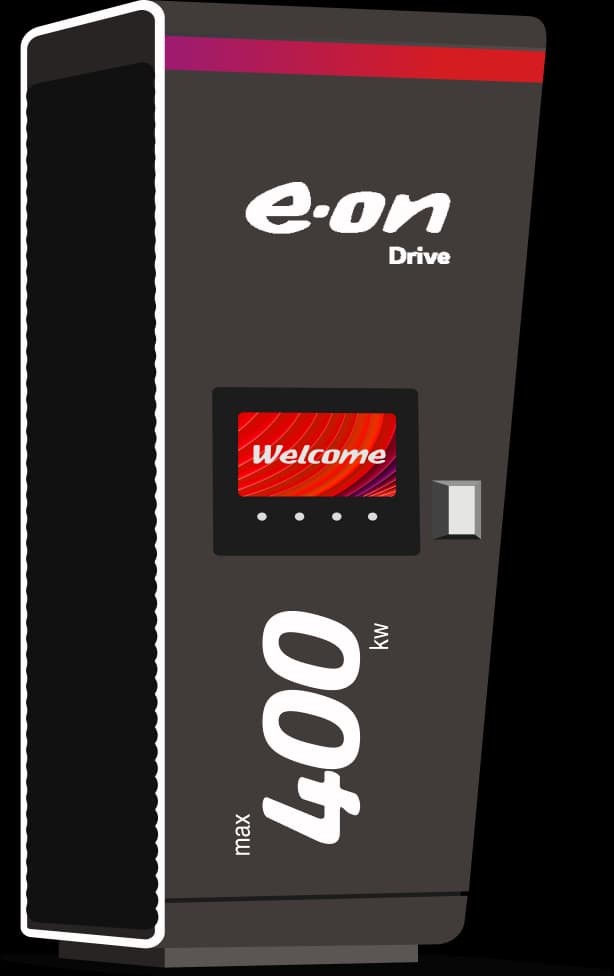
What do the lights around the connectors mean at your stations?
Green: Charger is available and ready to use.
White: Charging process done charging.
Blue: Charger is currently in use.
Red: There is a fault or the charger is unavailable.
Why did my charging session stop before my car was fully charged?
Charging sessions may stop early due to your vehicle’s battery management system or external factors like power supply issues. Check your vehicle’s settings and try restarting the session.
The charging session fails to start. What should I do?
The order in which you pre-authorize the payment method and select a connector can be decisive to the charging session. Try disconnecting your vehicle, selecting the payment method first, then reconnecting your vehicle. This simple step often resolves the issue.
The charger is unresponsive. What can I do?
Try restarting the charger by disconnecting your vehicle and starting the charging session anew. Please make sure to select your payment method first and your connector second. If the problem persists, please call our support team — we can remotely reboot the station.
Why is my car charging slower than the charger’s maximum capacity?
Your car controls how much power it draws from the charger. Charging speed depends on your car model, battery state, and other conditions like temperature.
Please check out our charge speed calculator for details.
The charger is blocked by a vehicle with a combustion engine. What can I do?
Please report the obstruction to the site owner or local authorities. Blocking charging stations is against regulations and may be subject to fines.
How can I report an issue with an E.ON Drive charging station?
You can report problems via our customer service hotline, the E.ON Drive Public app, or our website’s support section. Provide the station ID and details of the issue.
The charging station is not working or shows an error code. What should I do?
Please report the issue via our customer service or app. If possible, note the error code displayed and provide it when contacting support for faster assistance.
What should I do if I experience an emergency at a charging site?
Please call the emergency number displayed on the charger or contact local authorities if needed. For technical issues, our 24/7 hotline is available to assist you.

Got more questions?
Prefer to talk? Call our hotline 24/7:+45 3143 8888