



Help & Support
How to Stop a Charging Session
See how to stop your charge with the app, a card or a charging tag, so your trip stays easy and stress-free.
Stop your charging session the same way you started it.
Stop with the app
Open your session
Open the active charging session in the app.
Stop charging
Stop the session in the app.
Wait for confirmation
Wait for confirmation from the app or the charger.
Remove the cable
Remove the cable from both the car and the charger.
Move your car
Move your car so others can use the charger.
Open your session
Open the active charging session in the app.
Stop charging
Stop the session in the app.
Wait for confirmation
Wait for confirmation from the app or the charger.
Remove the cable
Remove the cable from both the car and the charger.
Move your car
Move your car so others can use the charger.
Stop at the charger
Applies to fast chargers with a screen and payment terminal.
Press Stop
Press Stop below the screen.
Select your connector
Select the connector your car is charging from and confirm that you want to stop.
Confirm with your card
Hold the same card to the card reader that you started with, and enter your PIN. This makes sure only you can stop the session.
Wait for charging to stop
Wait until the screen shows that charging has stopped.
Unplug your car
Unplug the connector from your car once the charger has released it.
See your receipt
Press Receipt on the screen if you want to see your receipt.
Stop with a charging tag
Scan your tag again
Hold your charging tag to the reader again, just like when you started.
Wait for charging to stop
Wait until charging has stopped.
Unplug your car
Remove the cable from both the car and the charger.
Scan your tag again
Hold your charging tag to the reader again, just like when you started.
Wait for charging to stop
Wait until charging has stopped.
Unplug your car
Remove the cable from both the car and the charger.
Stop via payment link
Open the payment page
Open the payment page you used to start charging.
Press Stop charging
Press Stop charging on the page.
Enter the last four digits
Enter the last four digits of the payment card you paid with.
Unplug your car
Remove the cable from both the car and the charger.
Trouble stopping?
If you have problems stopping your charge, call our hotline on +45 3143 8888.
Open the payment page
Open the payment page you used to start charging.
Press Stop charging
Press Stop charging on the page.
Enter the last four digits
Enter the last four digits of the payment card you paid with.
Unplug your car
Remove the cable from both the car and the charger.
Trouble stopping?
If you have problems stopping your charge, call our hotline on +45 3143 8888.
How to stop charging
This video shows how to stop a charging session at a public charging station. It explains the steps required to end the charging session safely, depending on the authentication method used, and how to disconnect the charging cable once charging has stopped.
You can also stop charging from your car’s screen.
After charging
Remove the cable from both the car and the charger, and move your car. Some sites charge a blocking fee after charging has finished, so others can get to the charger.
If you paid at the charger, you can see your receipt on the screen once charging has stopped.
Frequently Asked Questions
How do I stop charging before my car’s battery is full?
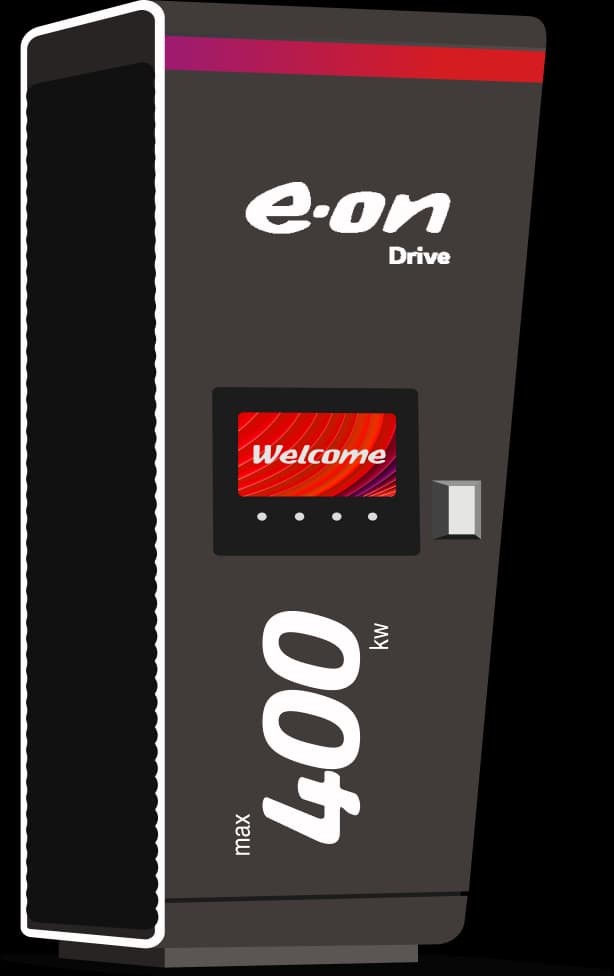
You can stop charging either directly from your car or at the charging station. To stop at the station, select your current session on the display and press "Stop".
What’s the easiest way to stop charging?
You can stop charging either directly from your car or at the charger. On a fast charger, press Stop below the screen, select your connector and scan your card last. On a slower AC charger, you can stop in the app, scan your charging tag again or stop the session from your car. See your car’s manual for how to stop the session from the car.
Why do I need to authenticate to stop charging?
Authentication ensures that only you can end your charging session, preventing accidental interruptions or unauthorized cable removal.
How do I stop charging if I pay via weblink?
Press “Stop charging” on the payment page. You will need to enter the last four digits of the payment card you used to start the session before you can stop it.
Help, my charging cable is stuck! What can I do?
First, make sure your charging session has ended. Then lock your car and unlock it again by quickly pressing the unlock button on your key fob four to five times. This works on many cars. If the cable is still stuck, call our hotline on +45 3143 8888. We can help unlock it.
What does "Use contact" mean on the payment terminal?
"Use contact" means you need to insert your payment card into the terminal instead of using contactless payment. Sometimes inserting the card is required to stop the charging session.

Got more questions?
Prefer to talk? Call our hotline 24/7:+45 3143 8888